AI summary of any
YouTube video.

No time to watch the whole thing? TubeFilter parses the transcript and auto-summarizes key concepts, sectioned timestamps, and quotes.

Summarize a video →See how it works

30 min free, no signup · Bulk playlist summaries

How it works

See it in action

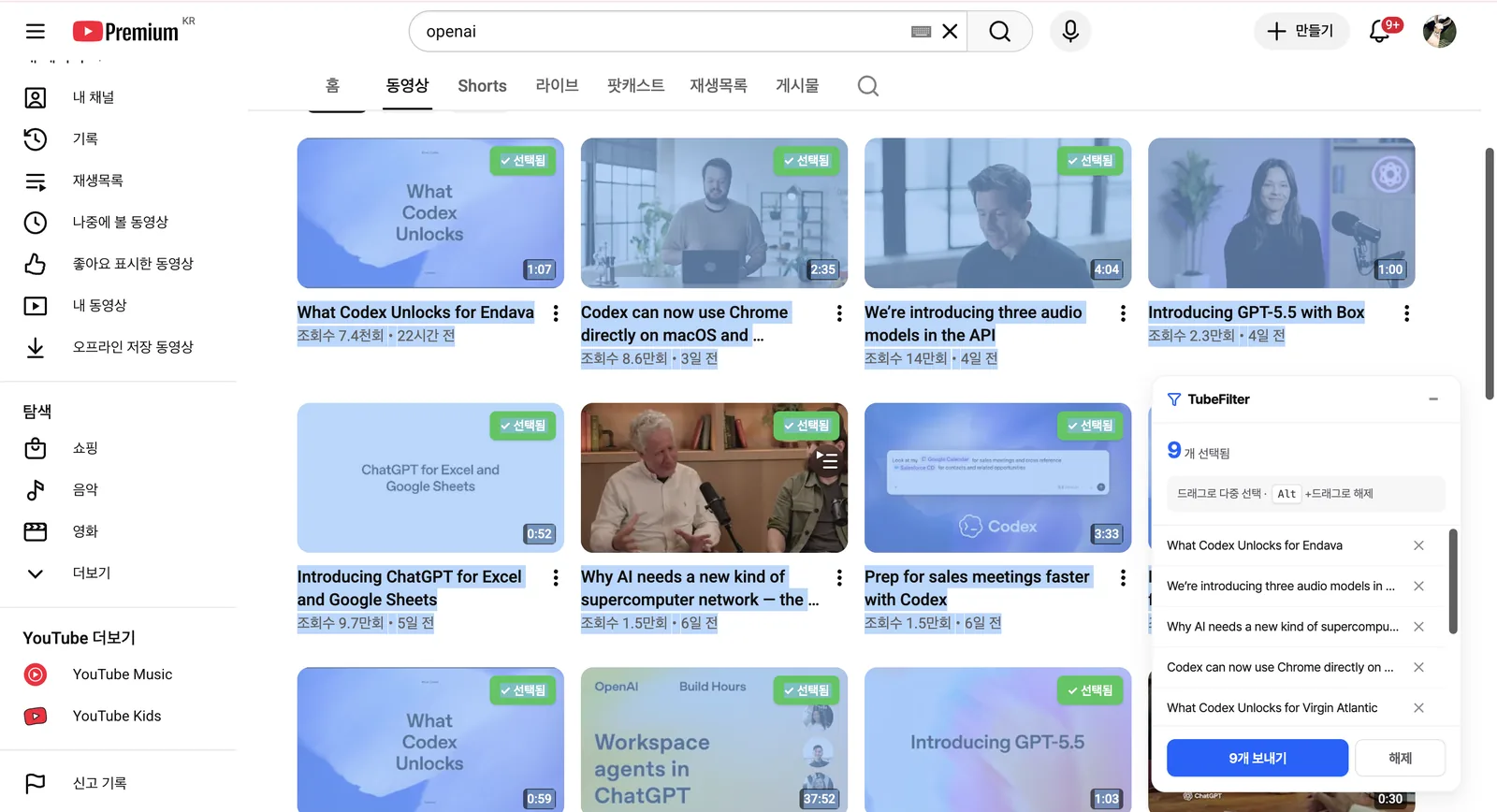
Chrome extension drag-selecting multiple videos on a YouTube channel and Watch Later to send to TubeFilter
1Import

Grab them straight from Watch Later

Drag to multi-select videos on any YouTube channel or your Watch Later, then send them to TubeFilter — no copy-pasting playlist URLs.

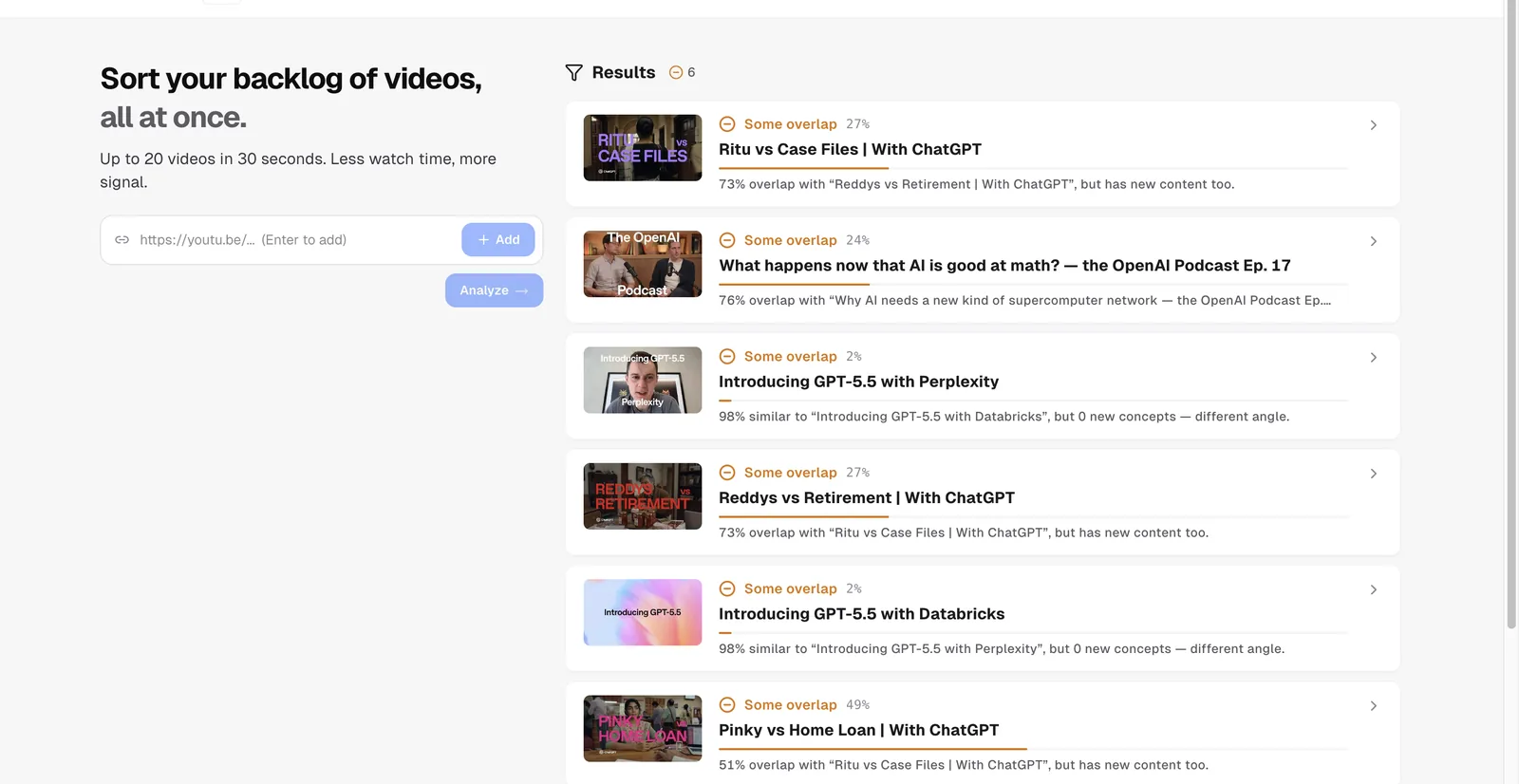
TubeFilter results showing overlap and novelty percentage for each analyzed video
2Analyze

Overlap and novelty, scored automatically

Each video is analyzed against what you've already watched — see how much overlaps, what's actually new, and which video it overlaps with.

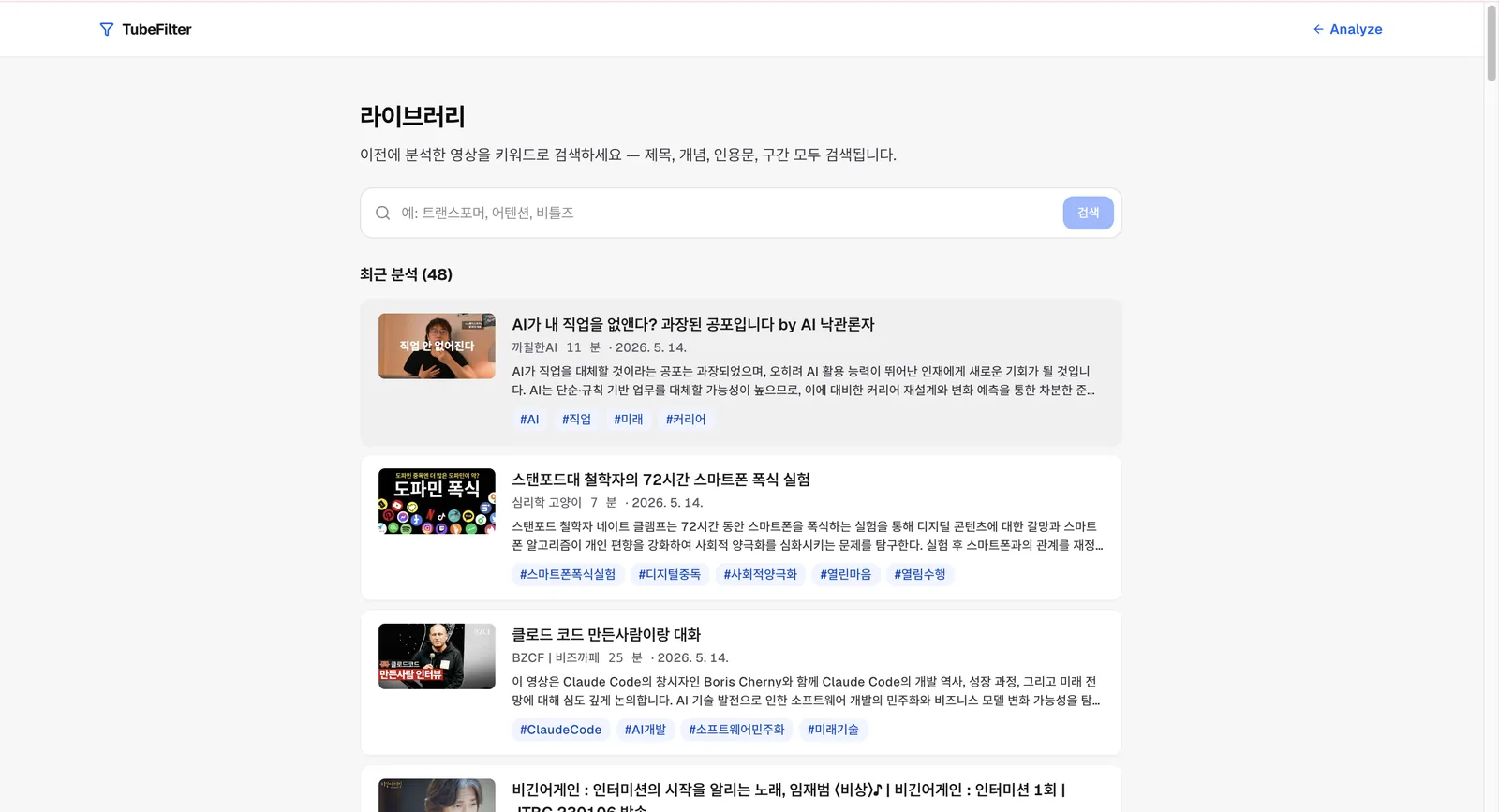
TubeFilter library showing previously analyzed videos with summaries and tags
3Library

Your library becomes the benchmark

Analyzed videos accumulate in your library and become the benchmark for judging what's new next time — searchable by title, concept, and quote.

Why TubeFilter

Not just pasted captions

🧩

Structured summaries

Not raw captions — key concepts, sectioned timestamps, and key quotes you can skim in 30 seconds.

📦

Bulk playlist summaries

Paste a playlist URL instead of one link at a time — summarize up to 20 videos in a single click.

🔎

Searchable summaries

Summaries accumulate in your library, searchable by title, concept, and quote.

FAQ

Frequently asked

How long does a summary take?

About 30 seconds per video. Re-summarizing the same video is instant via cache.

What's included in a summary?

Key concepts, sectioned timestamps, key quotes, and a 3-line summary.

What about videos without captions?

We use auto-generated captions when available. Videos with captions disabled show as 'transcript unavailable.'

Is it really free?

Yes — 30 minutes free without signup. After signing up, 180 minutes (3h) per month are free. Basic starts at $2.99/month.

How is this different from NotebookLM?

NotebookLM deeply summarizes one source. TubeFilter summarizes whole playlists at once and also flags overlap with what you've already watched.